
Omega2 EXPANSION DOCK


Onion Omega2/+ Docking Station
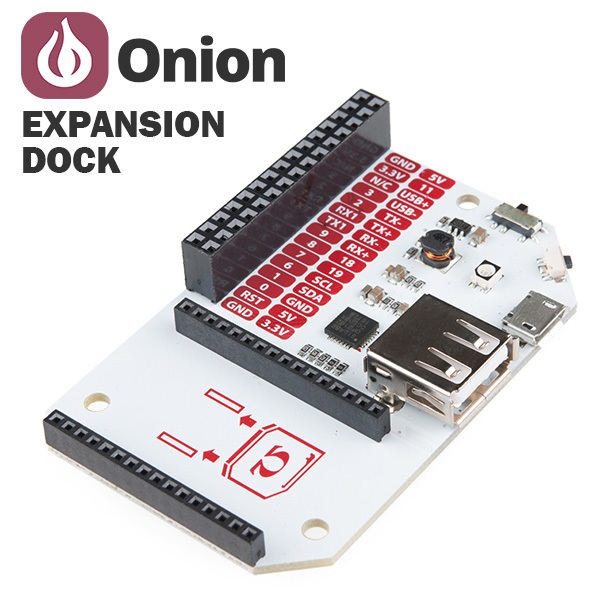
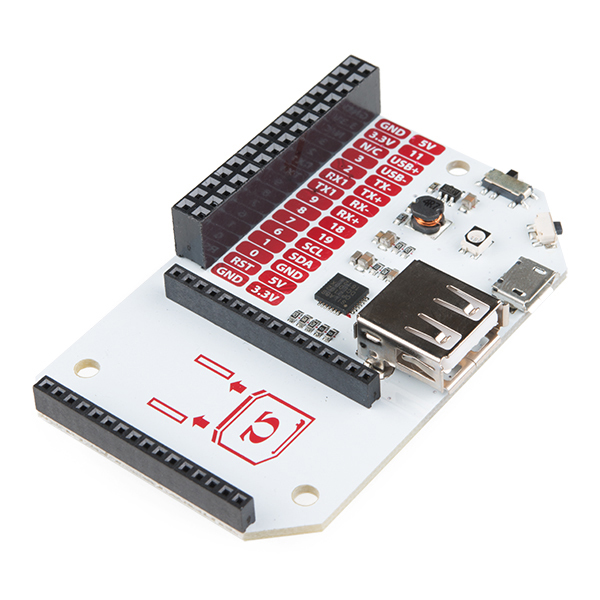
The docking station provides an easy way to power the Omega using any Micro USB cable while expanding the Omega's GPIO pins. You can use these to control external circuits or connect expansion boards to enhance your Omega's functionality. It is also equipped with a USB-to-serial chip, allowing you direct access to the terminal from your computer.
The docking station is the perfect companion for the Omega, making it incredibly convenient and easy to use, while also unveiling the various functionalities of the Omega. We recommend acquiring a dock for your Omega to gain the best experience, performance, functionality, and stability of your device.
Convenience
Power your Omega and docking station using any Micro USB cable. The docking station includes a regulation circuitry that ensures the Omega always receives a stable 3.3V needed for optimal operation.
Functionality
The docking station exposes several functionalities of the Omega to the user:
- The Omega's GPIOs are accessible on the expansion connector. Use the connector to attach Onion expansions or connect to external circuits
- Connect USB devices directly to your Omega
- Control the RGB LED on the docking station using the Omega's GPIO
- Press the reset button to restart your Omega, hold it for 10 seconds for factory reset
- Turn your Omega on and off using the power switch
Modular
Compatible with all Omega expansions. Enhance your Omega’s functionality by attaching one of our plug-in expansion boards.
Ease of Use
With the integrated USB-to-serial chip, you will always have access to the Omega's serial terminal. No network connectivity is required, just a stable USB connection. The serial terminal is particularly useful when accessing the bootloader to reflash your Omega.
Technical Specifications
- 1x Micro USB port – power and access to the serial terminal
- 1x USB-A port – connect USB devices to the Omega
- 1x RGB LED
- 1x Reset button
- 1x Power switch
- 30-pin expansion connector
Links
- Docking Station Hardware Overview
- Using the Docking Station
- Technical Drawing
- Controlling Omega GPIOs
- Using USB Storage with Omega


 Austria
 Belgium
 Bulgaria
 Croatia
 Denmark
 Estonia
 Finland
 France
 Greece
 Hungary
 Ireland
 Italy
 Latvia
 Lithuania
 Netherlands
 Poland
 Portugal
 Romania
 Slovenia
 Spain
 Sweden
